





Step 1
Get a first pass based on your precedent
Get a first pass that reflects how deal teams actually review. Exec reviews against your standards and approach, so your markups don’t read like generic “best practices.”
Learn about contract review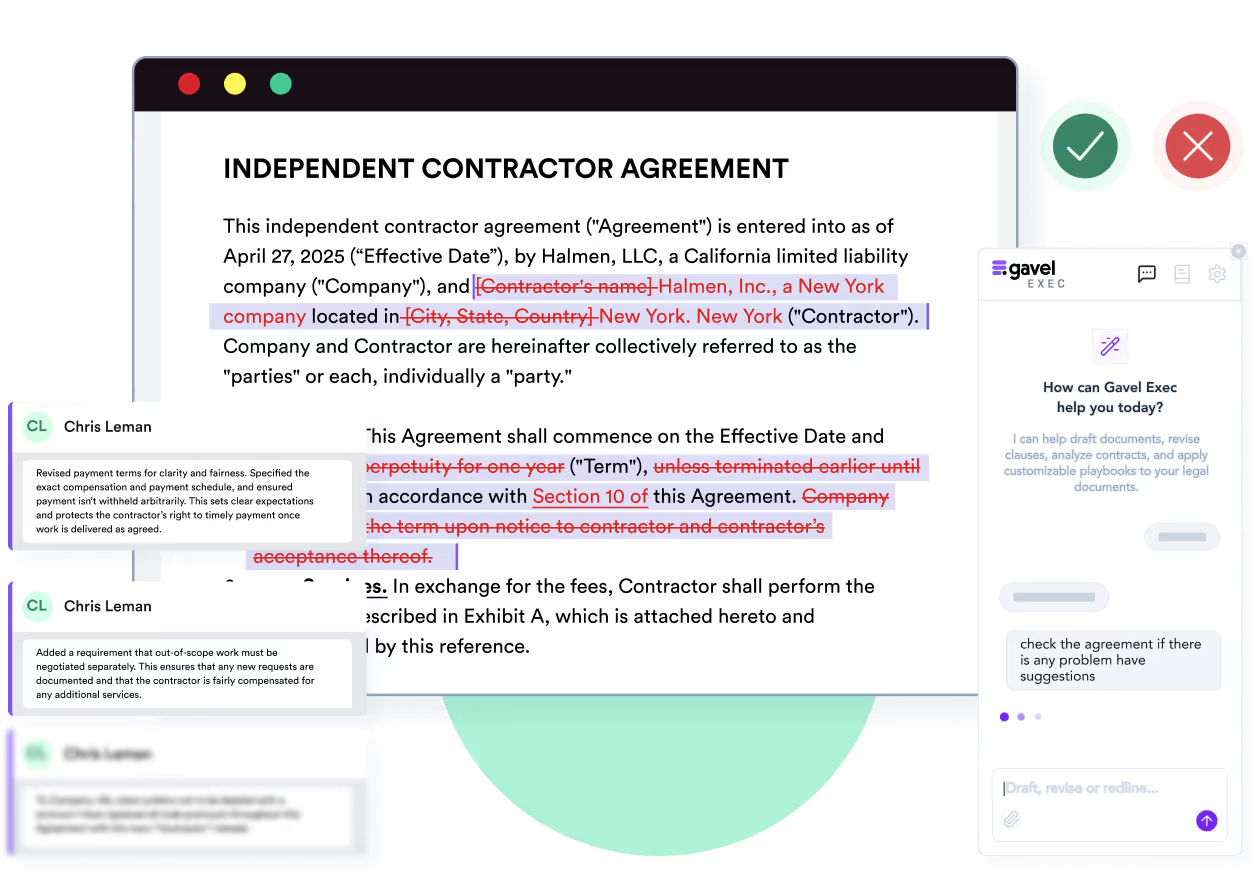
Gavel has been acquired by Relativity, a leading legal data intelligence company. Read the announcement
AI contract review for Microsoft Word
First-pass review eats hours you could spend negotiating. Gavel Exec applies your playbooks and precedent and returns priority-ranked redlines as tracked changes, margin comments and a list of missing terms, so a negotiation-ready markup goes back sooner.
Meet Gavel Exec, the data driven AI tool for contract redlining and drafting. Built by lawyers right inside Microsoft Word, ask Exec to negotiate your contract to standard market terms or to your preference. Negotiate the agreement and ensure the terms match the attached term sheet. Exec analyzes the contract, any relevant documents from your source database, and drafts suggested language with clear explanations. With Playbooks, lock in your negotiation positions as rules that use your precedent and reliable market benchmarks. Understand gaps with one click and immediately apply changes. Exec draws on thousands of real world negotiation patterns to give you market aligned language. And it's continuously learning from you and your team's preferences with a collaborative platform. Drive better outcomes with concrete data and reliable issue spotting. Supercharge your contract analysis. Start a free trial of Gavel Exec today.
Built for transactional attorneys and legal teams, Gavel Exec is AI contract review and drafting software that runs inside Microsoft Word as an add-in and on the web. It uses your precedent and contract playbooks to redline entire agreements, draft clauses and contracts, and produce negotiation-ready markups with the reasoning behind each change. Start free with 25 queries per user, then pay $160 per user per month.

Automated legal redlining in Word: tracked changes across the whole contract, ranked by priority and based on your positions.
How redlining works
Find issues and missing terms in one pass and explain the risks to your team or client, without leaving Word.
How contract review works
Start from a blank page, fill a template or rewrite a clause with Quick Actions or a prompt.
How drafting works
See whether each provision is on-market, off-market or missing for your jurisdiction, industry and company size.
How benchmarking works
Turn your negotiation positions into playbook rules, run them in one click and share them with your team.
How playbooks workCreate an account at exec.gavel.io. You can use Exec on the web without a download. To redline a specific document or create playbooks, add the Gavel Exec add-in to Microsoft Word from Microsoft AppSource. It runs in Word for Windows, Word for Mac (2016 or later), Word on the web and Microsoft 365. If your organization manages Microsoft 365 centrally, an admin may need to enable the add-in.
Contracts are reviewed and redlined as Word documents. You can also attach .docx, .doc and PDF files as context, generate playbooks from .docx, PDF or .csv files, and benchmark PDF, .docx or .txt files.
Quick Actions let you choose a country and state or province, so drafting and review follow that jurisdiction’s conventions, and benchmarking can be filtered by jurisdiction. Working with contracts in another language? Talk to us first.
Why lawyers choose Gavel Exec
“It’s the best system I’ve tried, and I’ve tried many. I’ve found Gavel Exec really good to work with and responsive to how I negotiate, how I redline.”
Martin Algie, Principal at MIA Contract Lawyers
15 → about 5 hours
First-cut review time per contract, after Martin built an in-licensing playbook of about 80 rules
Customer video: How one transactional attorney saves 10 hours per contract with Gavel Exec
0:00 Now that I’ve set up the playbook correctly, my paralegal can easily run those rules both in the chat and also the playbooks and deliver to me a draft that I can then settle. That’s where the magic is. That’s where I can save a good 10 hours. There’s a day saved easily.
0:27 I’ve been practicing for about 30 years and for the last 20 it’s focused on contract work, contract negotiations and, as part of that, of course reviewing contracts, reviewing documents that we receive from the counterparty and redlining that with comments, sending it back and negotiating. Most of that practice is focused on the pharmaceutical industry. Most of my clients are pharmaceutical distributors in Australia who buy drugs from manufacturers and brokers in other countries. We’re getting supply contracts, license agreements, […] or NDAs from many of those countries and we’re using their templates.
1:15 Much of my time is taken up reviewing these contracts and I have to say many are very poorly drafted. Saving time is critically important to me. And just a little bit of a backstory, I was working very hard in a busy practice, sometimes 7 days a week, which is not good. That’s where Gavel Exec came in. I looked at a number, as most consumers of tech and attorneys and consumers of legal tech would do.
1:44 One of those systems I was attracted to because I was told that it would minimize the extent of the redraft. Gavel Exec delivered in spades on that promise but also addressed the accuracy.
2:08 It all comes down to how good your rule is, how good the prompt is. In my own practice, it might take me 15 hours to review the first cut of a contract, particularly coming from a counterparty. Now, the question is, how do I save that time with Gavel Exec? The first way of doing it is simply through the chat functionality. What I do is direct it to redraft the contract so that it is in a contractual form. The first command is to redraft all obligations so that it’s clear who is obliged to do something, what are they obliged to do and by when.
2:52 The playbook that I have for my in-licensing contracts has close to 80 rules in it now, and I’ll then run through it. Now that I’ve set up the playbook correctly, my paralegal can easily run those rules both in the chat and also the playbooks and deliver to me a draft that I can then settle. That’s where the magic is. That’s where I can save a good 10 hours. I can save all that time and I then have a document that maybe I’ll take five hours instead of 15. Well, there’s a day saved easily.
3:38 Look, all I can say is that it’s the best system I’ve tried and I’ve tried many. What I found beautiful with Gavel Exec is that it is eminently perfectable.
Transcript lightly edited for clarity.
Up to 60%
less contract review time per contract
“It’s like having another assistant with you who hears your voice, understands what you want, and gives you whatever you need in seconds.”
Omar Nakadi, Legal Counsel at a regulated financial services firm
About half the time
for review he puts on par with large firms
“You’re going to find deeper, better, and more accurate answers from Gavel than from some of the other legal-based AI I’ve used. It somehow reasons better.”
David Austin, Founder of David Austin Law
Product walkthrough
The examples below are product screens with fictional parties and contract terms.
Step 1
Get a first pass that reflects how deal teams actually review. Exec reviews against your standards and approach, so your markups don’t read like generic “best practices.”
Learn about contract reviewStep 2
Spot gaps, inconsistencies and terms that don’t match what was agreed, so you focus review on what matters before negotiation.
Learn about issue spotting.svg)
Step 3
Exec generates clear summaries of key risks, positions and negotiation points, so you can align with your team or explain issues to a client.
Learn about negotiation-ready markups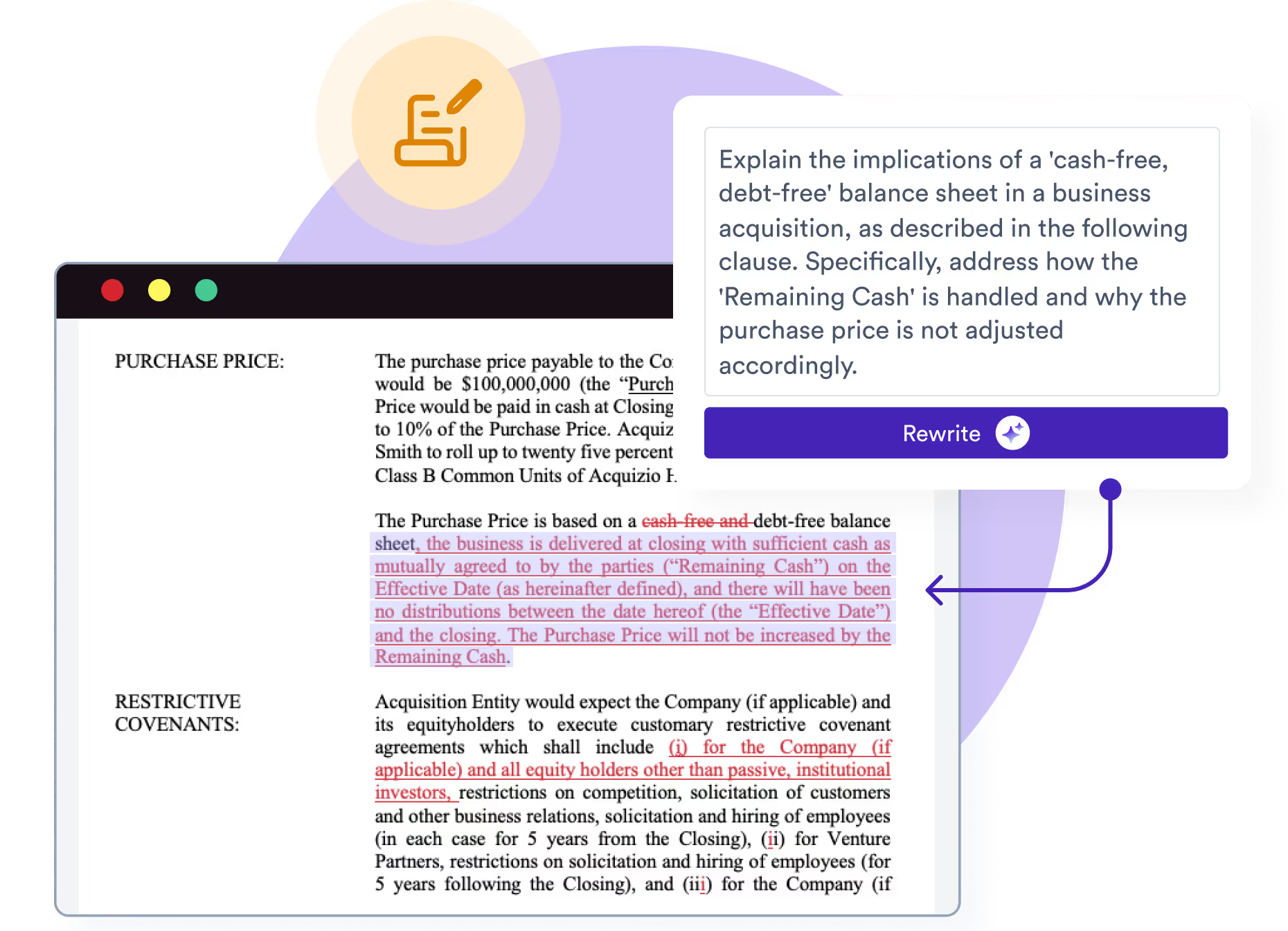
Step 4
Apply suggestions as tracked changes, then accept or reject each one in Word, as with a colleague’s markup. You can edit a redline before you apply it, and Exec keeps the authorship of existing redlines.
Learn about drafting.svg)
Step 5
Each redline comes with the reasoning behind it. Paragraphs Exec mentions become links into your document, playbook results link to the supporting language, and references to attachments or project files are cited.
.avif)
Yes. Click Apply All to insert suggestions as tracked changes, then accept or reject each one in Microsoft Word. You can refine a redline before you apply it, and suggested comments can be reviewed, added or dismissed. Each redline carries a priority level.
Yes. Each redline includes its reasoning. Exec cites the attachments and project files it relies on, playbook results link to the supporting language in your document, and web analysis across several documents cites each source. Its source checks can draw on your precedent, uploaded matter files, EDGAR filings, government sources and the open web.
Start from a built-in playbook, add rules by hand, or generate rules from your existing checklists, spreadsheet playbooks or signed agreements (upload .docx, PDF or .csv). Review and edit the generated rules, then run all of them or a single rule. Playbooks exported from Exec can be imported and merged. Example rule, “Proprietary Info: Assignment Clause”: checks whether the consultant must assign all intellectual property created under the agreement to the company.
Practicing deal attorneys help benchmark Gavel Exec, every suggestion shows its reasoning, and nothing changes your document until you accept the tracked change. To calibrate a playbook, run it against an agreement you consider correct and adjust the rules until every rule passes.
Is it a fit?
The deciding factor is the work, not the size of your firm or company: Gavel Exec is built for negotiating and drafting contracts in Word.
Large firms and enterprises aren’t ruled out. What matters is the work: transactional groups that negotiate in Word can be a good fit, while litigation-focused teams are usually better served by Relativity.
Compare
Lawyers choosing AI contract review software often compare Gavel Exec with Spellbook, GC AI and Ivo. Here’s where Gavel Exec stands out.
| Published pricing | Gavel Exec | Spellbook | GC AI | Ivo |
|---|---|---|---|---|
| Price | $160 per user per month, or $1,740 per user per year | Custom pricing; 7-day free trial | $500 per month for an individual plan | Pricing on request only; no public price |
Prices as published by each vendor, October 2026.
Designed for legal teams handling confidential and regulated information, with SOC 2 Type II certification and safeguards and governance built for legal workflows.

Zero Data Retention agreements with the AI model providers Gavel uses, including OpenAI. Customer data is not used to train AI models.

Independently audited against the Trust Services Criteria for security, availability and confidentiality. Data is encrypted at rest with AES-256.

Supports GDPR, CCPA and global privacy requirements. Protects client confidentiality and sensitive data.

Annual third-party penetration testing and continuous monitoring. Security support available 24/7 when needed.
No. Gavel does not use customer data, prompts or document content to train any AI models, and its Zero Data Retention agreements with AI providers mean they don’t keep your data. Files you attach to a Project stay attached to that Project, and Gavel commits to deleting customer data after an account is closed or on request.
By default in the United States, in Amazon Web Services data centers. Hosting in the EU, Canada and Australia is also available. Ask us which regions apply to your plan.
Pricing
Start free, then pay per user
Start with 25 free queries per user and collaborate with your team during the free trial. Paid plans include 1,000 queries per user per month. Discounted team pricing is available for 10 or more seats.
AI contract review and drafting in Word for legal teams
$160per user per month
or $1,740 per user billed annually
No credit card required to start
Start free with 25 queriesReview your first contract within minutes of signing up.
Discounted team pricing is available. Teams share playbooks and projects across an Organization with read-only or edit access, set instructions that apply to every chat and playbook, and can onboard with the Gavel Exec certification course and 30-minute calls with the Exec team.
Each user starts with 25 free queries, and paid plans include 1,000 queries per user per month. Ask us how Quick Actions, playbook runs and chat messages count toward your plan.
Within minutes. Adding Gavel Exec to Word takes about 30 seconds. Then open a contract and run a Quick Action such as Redline Document to get your first suggestions.
Also answered on this page:
Yes. Gavel Exec runs inside Microsoft Word as an add-in and online at exec.gavel.io, so you can review, redline and draft where contracts are finalized. Your projects, playbooks and context carry across both.
Yes. Gavel Exec can generate suggested redlines across a full agreement and add negotiation-ready comments. You then review and revise directly in Word.
Yes. Draft clauses and contract language from scratch, fill template placeholders, then refine the text based on past contracts, playbooks, your instructions and standards.
Gavel Exec works inside Microsoft Word (desktop, Word on the web and Microsoft 365) and on the web, and you can sign up with Google. Using a document management system such as iManage or NetDocuments? Talk to us about how Exec fits your setup.
Yes. Share Projects and Playbooks with anyone in your Organization, with read-only or edit access. Projects keep instructions and reference files together so reviews stay consistent, and organization-wide instructions apply to every chat and playbook.
Yes. Each user starts with 25 free queries, and teams can collaborate during the trial with shared Projects and Playbooks. No credit card is required to start.
Pricing is per user: $160 per user per month, or $1,740 per user billed annually. Discounted team pricing is available for 10 or more seats. For procurement or vendor onboarding details, contact sales.
Teams can work through the Gavel Exec certification course to onboard, book 30-minute calls with the Exec team, and use Organizations to share playbooks and set instructions for everyone. An admin can enable the Word add-in centrally in the Microsoft 365 admin center. Contact sales about rollout for 10 or more seats.
Gavel Exec is built for transactional attorneys who review, negotiate and draft contracts. It is not a litigation or e-discovery tool. Batch analysis across many documents and market benchmarking run in the web app, while redlining a specific document and creating playbooks need the Word add-in. Playbooks work best for clear, repeatable positions rather than open-ended judgment calls.
A demo is a 30-minute, one-to-one session with a Gavel Exec product expert to discuss your needs and see how the product works. Request a demo.
Yes. Relativity announced its acquisition of Gavel on June 12, 2026. For customers, nothing changes: same product, same team, same support. Read the announcement.